A website migration SEO checklist helps businesses protect search rankings and traffic during a redesign, domain change, or platform migration. Without proper planning, migrations can cause ranking drops, broken links, and lost organic visibility.

Quick Summary:

A successful website migration requires planning, testing, and SEO protection. Key steps include:

  • Crawling your existing website
  • Mapping old URLs to new pages
  • Implementing 301 redirects
  • Preserving SEO elements
  • Updating XML sitemaps
  • Testing before launch
  • Monitoring rankings after launch

Following these steps ensures a smooth migration without losing search visibility.

What Is a Website Migration SEO Checklist?

A website migration SEO checklist is a step-by-step process used to protect rankings and traffic during a redesign, domain change, or platform migration. It includes crawling URLs, mapping redirects, preserving SEO elements, updating sitemaps, and monitoring performance after launch.

Website Migration SEO Checklist (Quick Steps)

  1. Crawl your existing website
  2. Map old URLs to new URLs
  3. Implement 301 redirects
  4. Preserve important SEO elements
  5. Update XML sitemaps
  6. Test redirects before launch
  7. Monitor search performance after launch

If you’re planning a redesign, review our guide on how to replace your existing website without losing SEO traffic.

What Is a Website Migration?

A website migration refers to major changes that impact search visibility, including redesigns, domain changes, platform switches, URL restructuring, and hosting upgrades. Because search engines rely heavily on URLs, internal links, and structured data, even small changes can affect rankings if not handled properly.

Website Migration SEO Checklist

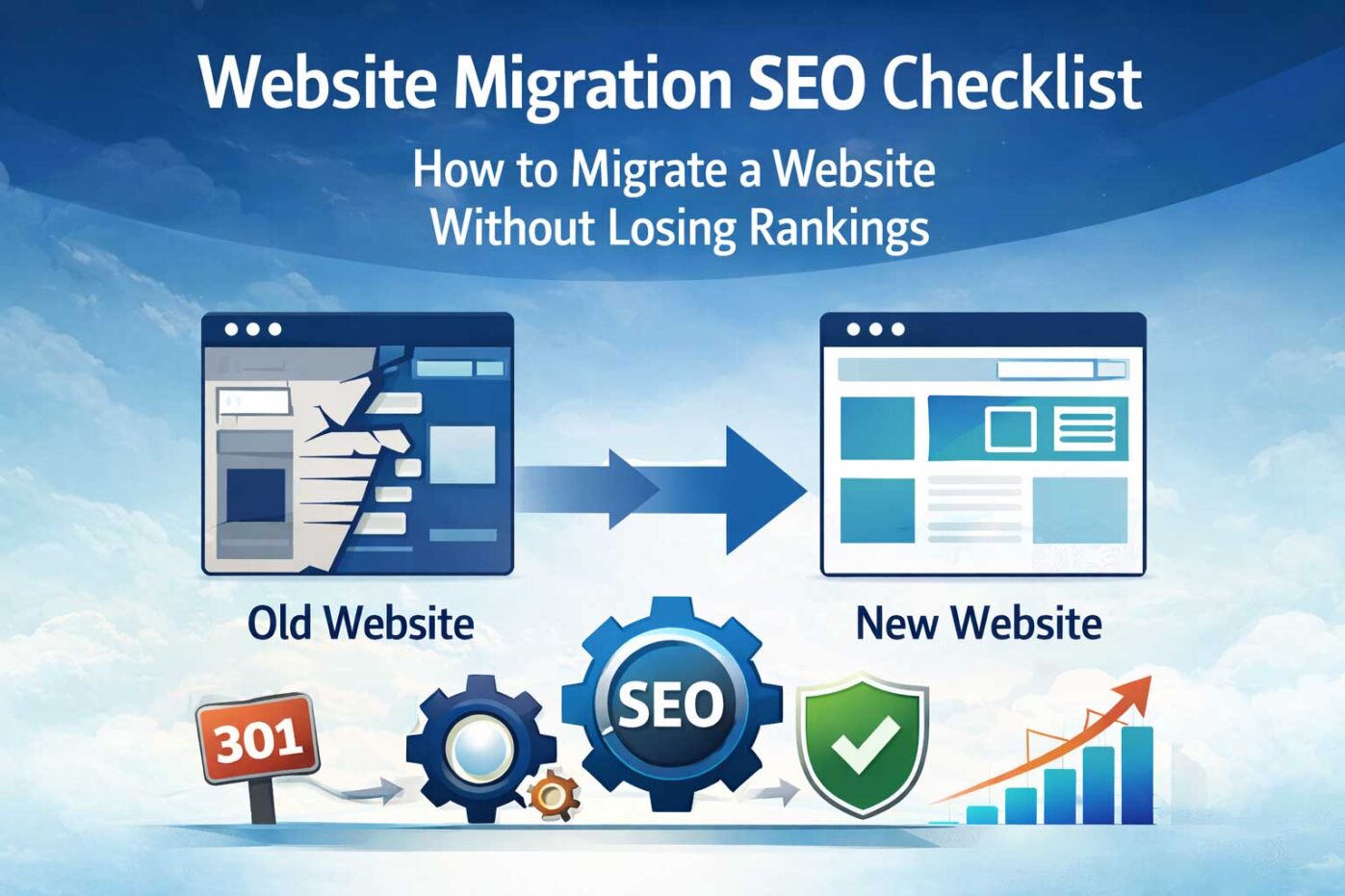
Website migration SEO checklist showing crawl URL mapping redirects launch and monitoring steps

1. Crawl Your Existing Website

Before launching a new website, crawl your existing site using tools like Screaming Frog or Sitebulb. Export all URLs so you know exactly which pages must be redirected.

2. Map Old URLs to New URLs

Create a spreadsheet mapping each old URL to its corresponding new page. This ensures users and search engines are properly redirected after launch.

3. Implement 301 Redirects

301 redirects permanently forward users and search engines from old pages to new ones. This step preserves the SEO authority your pages have built over time.

If you’re unfamiliar with redirects, read our guide on website migration without losing traffic.

4. Preserve Important SEO Elements

  • Page titles
  • Meta descriptions
  • Internal links
  • Header tags
  • Structured data

Maintaining these elements helps search engines understand that your new site represents the same content as the previous version.

5. Update XML Sitemaps

Generate a new XML sitemap and submit it to Google Search Console and Bing Webmaster Tools to help search engines discover and index your pages quickly.

6. Test Redirects Before Launch

Before launching, test redirects to ensure they point correctly and do not produce errors.

7. Monitor Search Console After Launch

After launching, monitor Google Search Console for crawl errors, indexing issues, and ranking fluctuations.

Common Website Migration Mistakes

Common website migration mistakes including broken links lost rankings and crawl errors

  • Failing to implement proper 301 redirects
  • Launching without URL mapping
  • Changing URL structures unnecessarily
  • Forgetting updated sitemaps
  • Not monitoring search performance

Should Businesses Use SEO and PPC After a Website Launch?

Many businesses use paid advertising immediately after launch to maintain traffic while rankings stabilize. Understanding how paid and organic search work together helps businesses recover faster.

If you’re unfamiliar with how these channels work together, read our guide on PPC vs SEM and how they drive website traffic.

Website Migration FAQ

How long does SEO recovery take after a website migration?

SEO performance can fluctuate for several weeks after a migration. Most websites stabilize within 30–90 days if handled correctly.

Will I lose rankings after a website redesign?

Temporary ranking changes are common. Proper redirects, content preservation, and updated sitemaps reduce traffic loss.

Should I change URLs during a redesign?

Whenever possible, keep existing URLs. If changes are necessary, implement proper 301 redirects for every page.

What is included in a website migration checklist?

A migration checklist includes crawling URLs, mapping redirects, preserving SEO elements, updating sitemaps, testing redirects, and monitoring rankings after launch.

What is the biggest SEO risk during a website migration?

The biggest risk is failing to redirect old URLs correctly. Without proper redirects, search engines may treat new pages as different content and rankings can drop.

For a full walkthrough, see our guide on how to replace your existing website without losing traffic.

Need Help With a Website Migration?

Website migrations require careful planning to protect SEO rankings and organic traffic. If you’re planning a redesign or launch, Webociti can help ensure a smooth transition.

Contact us to learn more about our website design services and SEO migration strategies.

TL;DR: Category page SEO is the practice of optimizing eCommerce collection pages to rank for high-intent commercial keywords that drive revenue—not just traffic.

In Summary

Category pages often generate more organic revenue than individual product pages because they align with how buyers search and compare options. Effective category page SEO requires intent-driven keyword targeting, controlled indexation, strong internal linking, optimized category content, and conversion-ready UX. When structured correctly, category pages become durable ranking assets that scale with inventory.

Category Page SEO: How to Optimize Category Pages for Revenue

In eCommerce, product pages close the sale but category pages usually attract the buyer. When someone searches “men’s waterproof hiking boots” or “best espresso machines under $500,” they’re not looking for a single SKU. They’re looking for a curated set of options they can compare.

That’s why category pages (Shopify collections, WooCommerce product categories, and similar templates) often carry the biggest revenue SEO potential. Done right, they become stable ranking assets that generate consistent demand.


Why Category Page SEO Drives More Revenue Than Product Pages

Category pages tend to rank for broader, commercial-intent terms that capture buyers earlier in the journey. They also consolidate authority across products, reduce “orphan page” risk, and help search engines understand your site structure.

If your eCommerce SEO strategy is focused on revenue (not vanity traffic), category pages are often the highest-leverage place to improve.

Executive takeaway: Category pages aren’t navigation. They’re strategic landing pages for high-intent buyers.


Step 1: Align Category Pages With Purchase Intent

The most common category SEO mistake is building categories around internal naming instead of buyer language.

  • Bad: “Winter Collection 2026”
  • Better: “Men’s Insulated Winter Jackets”
  • Best: “Men’s Waterproof Winter Jackets for Extreme Cold”

Category pages should map to how customers search:

  • Product type + modifier (waterproof, insulated, non-toxic, etc.)
  • Brand + product type
  • Use case + product type
  • Problem-based searches (skin type, space constraints, pain points)

If your category pages don’t match purchase intent, you end up ranking for broad informational terms — or not ranking at all.


Step 2: Add Strategic Category Content (Without Killing UX)

A lot of stores either leave category pages thin and empty… or overload them with keyword-stuffed paragraphs. The best approach is:

  • 150–300 words of helpful, scannable copy (not fluff)
  • Clear “who this is for” guidance
  • Quick buyer considerations (materials, fit, sizing, use cases)
  • Subcategory links that help both customers and crawlers

Keep the copy tight. Your goal is to support relevance and trust — not to bury the products.

Rule: Category content should help a buyer decide — and help Google understand the page in under 30 seconds.


Step 3: Build Internal Linking That Makes Categories Rank

Category pages are the backbone of your internal linking architecture. They should be easy to reach and clearly supported by links from:

  • Homepage and primary navigation
  • Subcategory hubs
  • Relevant blog content (guides, comparisons, best-of lists)
  • High-authority pages across your site

Internal linking is how you “vote” for which categories matter. If a category page is buried 4–6 clicks deep, it will struggle to rank.

Related reading:
SEO for eCommerce Websites: What Actually Drives Revenue
(cornerstone).


Step 4: Control Indexation, Filters, and Duplicate URLs

Category pages are where eCommerce SEO can get messy fast because platforms generate duplicates via:

  • Filter URLs
  • Sort parameters
  • Pagination
  • Variants and collection paths
  • Tag archives

If you allow every variation to index, you create “index bloat” — too many low-value pages competing for the same keywords and diluting authority.

  • Canonicalize duplicates to the primary category page
  • Prevent thin filter variations from indexing
  • Keep one clean URL as the “ranking page” per intent

Reference: Google’s Core Web Vitals documentation emphasizes how performance impacts user experience and search visibility.
Google Core Web Vitals documentation.


Step 5: Optimize Category UX for Conversion (Because Rankings Don’t Pay Bills)

Category pages rank best when users engage. If visitors bounce, rankings eventually slip. The conversion-ready category page includes:

  • Fast load speed (especially on mobile)
  • Helpful filters that improve shopping (without creating index bloat)
  • Clear pricing and shipping/returns visibility
  • Trust signals (reviews, badges, guarantees where applicable)
  • Clean layout that supports scanning and comparison

Search visibility and conversion performance are connected. A page that ranks but doesn’t help customers decide won’t hold position long-term.

Related reading:
Product Page SEO: How to Optimize Product Pages for Revenue.


Common Category Page SEO Mistakes

  • Targeting internal naming instead of buyer intent keywords
  • Thin categories with no relevance signals
  • Over-indexing filters/tags/sort URLs
  • Poor internal link depth (categories too far from authority)
  • Bloated content that harms UX and engagement

How Category Page SEO Compounds Over Time

Strong categories compound because:

  • They support future product launches with built-in authority
  • They stabilize rankings across changing inventory
  • They create repeatable “money page” templates you can scale
  • They improve crawl efficiency and site understanding

This is why category architecture is one of the most durable long-term growth levers in eCommerce SEO.

Companion guide:
Why SEO Is Still the Most Reliable Long-Term Growth Channel.


Where Category SEO Fits in the Bigger System

Category SEO isn’t standalone. It works when your system is aligned:

  • Technical foundation (crawl/indexation/performance)
  • Category architecture (intent-driven collections)
  • Product pages (unique content + decision support)
  • Internal linking (authority flow + discoverability)
  • Conversion alignment (UX and trust)

If you want a broader view of how this connects with other growth channels, this guide helps:
Internet Marketing for Business Growth.

Category page SEO works best when integrated into a complete eCommerce SEO system. Technical health, product optimization, and internal linking must support category intent for rankings to compound over time.


What To Do Next

If you want category pages to rank consistently and drive revenue, start by choosing one priority category and optimizing it end-to-end: intent keyword targeting → structure → internal linking → index control → conversion UX.

If your business competes in a high-density market and needs strategy-led search visibility, you’ll see the same system applied in our location work as well — including Atlanta SEO services.

TL;DR: Product page SEO drives revenue when search intent, technical structure, trust signals, and conversion clarity work together. Rankings alone don’t sell optimized decision-making does.

In summary

Most product pages rank poorly or rank but don’t convert because they focus on keywords instead of buyer intent. High-performing product pages combine technical SEO, structured data, persuasive content, internal linking, and frictionless UX to turn search visibility into measurable revenue.

Why Product Page SEO Is Where Revenue Actually Happens

In eCommerce, category pages attract traffic but product pages close the sale.

If your product pages don’t rank for high-intent searches or fail to support decision-making once visitors arrive, your SEO investment stalls at visibility instead of revenue.


Step 1: Align the Product Page With Purchase Intent

Product page SEO starts with understanding the exact query that brings the buyer to the page. Is the search branded? Comparison-based? Feature-specific? Use-case driven?

  • Target long-tail purchase queries (brand + product + attribute)
  • Match page title and H1 to buyer language
  • Avoid keyword stuffing prioritize clarity
  • Ensure metadata reflects transactional intent

Product pages should answer the buyer’s final question not introduce the product for the first time.


Step 2: Build Unique, Conversion-Supporting Content

Manufacturer copy rarely ranks — and it rarely persuades. High-performing product pages include original content that supports decision confidence.

  • Clear value proposition above the fold
  • Use-case explanations
  • Specifications formatted for scanability
  • Benefit-driven subheadings
  • FAQ blocks that reduce purchase friction

If your product description looks identical to 20 competitors, search engines and buyers have no reason to choose you.


Step 3: Implement Clean Product Structured Data

Product schema enhances visibility and improves click-through rate by enabling rich results.

  • Product
  • Offer
  • AggregateRating (when applicable)
  • Review
  • Availability

Structured data doesn’t improve rankings directly but it improves how your listings appear, which increases performance.


Step 4: Strengthen Internal Linking to Support Rankings

Many eCommerce stores accidentally create orphaned product pages. Without internal links, Google treats those pages as low priority.

  • Link products from relevant categories
  • Add “Related Products” and cross-sells
  • Link from blog guides to priority SKUs
  • Reduce crawl depth for high-margin products

Internal linking isn’t just for SEO it also increases average order value.

If you’re restructuring an ecommerce website or launching a redesign, follow our website migration SEO checklist
to avoid losing rankings during site changes.


Step 5: Remove Conversion Friction

Even perfectly optimized pages fail when buyers hesitate.

  • Clear pricing
  • Visible shipping & returns
  • Trust badges
  • Customer reviews
  • Fast mobile performance

As we discussed in our guide on
Why SEO Is Still the Most Reliable Long-Term Growth Channel, sustainable SEO growth depends on alignment between visibility and conversion.


Common Product Page SEO Mistakes

  • Thin content
  • Duplicate manufacturer descriptions
  • Over-optimized anchor text
  • Slow mobile performance
  • Too many filter-indexed variations
  • Ignoring search intent mismatch

How Product Page SEO Compounds

When structured properly:

  • Each optimized product builds domain authority
  • Internal links strengthen priority categories
  • Rich snippets improve click-through rates
  • Better UX increases repeat buyers

Product page optimization is not a one-time task it’s an ongoing performance system.


Where Product Page SEO Fits Into the Bigger System

Product page SEO works best when connected to:

  • Category page strategy
  • Technical SEO structure
  • Content marketing
  • Conversion optimization

If you haven’t read it yet, start with our foundational guide: SEO for eCommerce Websites: What Actually Drives Revenue.


What To Do Next

If your product pages are ranking but not converting or not ranking at all the issue is rarely “more keywords.”

It’s alignment between search intent, technical execution, and buyer decision-making.

When those elements work together, product page SEO becomes a predictable revenue driver not a guessing game.

If you’re scaling ecommerce growth, working with an experienced SEO services team helps align strategy, technical execution, and conversion performance.

Want to improve product page performance?

Request a technical SEO review and we’ll identify where your product pages are losing visibility, conversions, and revenue.

Request a Free SEO Review

TL;DR:SEO for eCommerce websites drives revenue when technical foundations, category structure, product intent, and conversion paths work together as a system not isolated “SEO tasks.”

In summary

Most eCommerce SEO fails because it chases traffic instead of purchase intent. The stores that win build search visibility around how customers actually browse, compare, and buy using category architecture, product page optimization, internal linking, and technical performance to turn rankings into revenue.

Why SEO for eCommerce Websites Is Different Than “Normal” SEO

eCommerce sites don’t have a handful of service pages — they have dozens (or thousands) of products, multiple collections, filters, variants, and constantly changing inventory. That complexity is exactly why SEO can become a revenue engine… or a mess that burns time without meaningful outcomes.

The goal isn’t to “rank more pages.” The goal is to build visibility for the searches that indicate buying intent, then make it easy for searchers to choose you and complete a purchase.

Why Traffic Alone Doesn’t Drive Revenue

Many stores see an SEO bump and still don’t see sales lift. That’s usually because they’re ranking for broad, informational queries that don’t match purchase intent or because the site experience doesn’t convert once visitors arrive.

Sustainable eCommerce SEO focuses on the full chain: discovery → evaluation → decision. If any link breaks, rankings become a vanity metric.

The 5 Revenue Drivers of eCommerce SEO

1) Technical Foundation That Helps Search Engines Trust the Site

You can’t “content your way” out of technical problems. eCommerce SEO requires clean crawling and indexing, fast performance, stable templates, and controlled duplication from filters and variants.

  • Indexation control (what should and shouldn’t be indexed)
  • Canonical strategy for variants and duplicate URLs
  • Core Web Vitals + mobile performance
  • Clean category/product hierarchy and internal link depth

As Google explains, performance directly impacts both user experience and search rankings.

2) Category Page Strategy (Where Most Revenue SEO Lives)

In eCommerce, category and collection pages often carry the biggest revenue weight — because they match
how people shop (browse by intent, then narrow down).

  • Build category pages around buyer language, not internal naming
  • Target “money” queries: brand + product type + use case
  • Add helpful category content (brief, scannable, non-fluffy)
  • Use internal links to push authority into the right collections

3) Product Page Optimization That Supports Decision-Making

Product pages are where intent becomes revenue. SEO is only helpful if the page answers the questions buyers need to feel confident.

  • Unique product copy (not manufacturer boilerplate)
  • Clear value, specs, use cases, and trust signals
  • Strong internal linking: related products, accessories, “frequently bought together”
  • Clean structured data (Product, Offer, AggregateRating when applicable)

4) Internal Linking That Guides Both Crawlers and Customers

eCommerce sites naturally create “orphan” pages — products that exist but aren’t supported by internal links. Internal linking is how you control what ranks and what fades.

  • Use category → subcategory → product pathways consistently
  • Link to top collections from authority content (guides, “best of,” comparisons)
  • Reduce crawl depth for priority revenue pages
  • Avoid creating index bloat from thin tag/filter pages

5) Conversion Alignment (Because Rankings Don’t Pay Bills)

Search visibility is only valuable when it leads to action. That means aligning SEO landing pages with clear conversion paths — and removing friction in the purchase journey.

  • Fast pages, clear pricing, shipping/returns visibility
  • Stronger PDP trust: reviews, guarantees, comparison points
  • Better category UX: filters that help buyers, not hurt indexing
  • Landing-page intent match: the page must match the query’s promise

Platform Notes: Shopify vs WooCommerce vs Custom Stores

The fundamentals are the same, but execution varies. Shopify can create duplication through collections and URL patterns. WooCommerce can get heavy with plugins and performance issues. Custom builds often struggle with template consistency and crawl logic.

The key is not the platform — it’s the system: technical control + intent-driven architecture + conversion alignment.

Platform migrations require careful SEO planning. Our website migration checklist walks through the exact process to protect rankings.


Serious about scaling eCommerce revenue?
If you need an SEO system designed around revenue architecture — not traffic vanity metrics explore our SEO strategy framework →

How eCommerce SEO Compounds Over Time

Unlike paid traffic, SEO compounds. A strong category architecture strengthens future category launches. Great product pages rank and convert for years. Internal links push authority where you want it. And every improvement builds on the last.

This is why we’ve framed SEO as a long-term asset in our guide: Why SEO Is Still the Most Reliable Long-Term Growth Channel.

When to Invest in eCommerce SEO

eCommerce SEO becomes high-leverage when:

  • You sell products with repeat or evergreen demand
  • You’re competing in a category where ads are expensive
  • You want more first-time buyers without perpetual ad spend
  • You need stronger visibility for “ready to buy” searches

What to Do Next

If your SEO efforts are generating traffic but not revenue, it’s time to audit the system not the keywords., start by treating it as a system. That system connects search intent, technical structure, category architecture, product optimization, and conversion performance.

If your business competes in a high-density market and needs a strategy-led approach to search visibility, you’ll see the same framework applied in our location-based work as well including
Atlanta SEO services.

And if you’re mapping a broader marketing system that integrates SEO with the rest of your digital growth engine, this companion guide helps: Internet Marketing for Business Growth.


When SEO is engineered into the structure of the business not layered on top it becomes an asset that compounds for years.

If you’re evaluating how search should support revenue at scale, the first step is not more keywords. It’s clarity around structure, intent alignment, and conversion architecture.

This systems approach to search visibility is the same foundation we apply in competitive markets — including Atlanta SEO services.

SEO Strategies Guide 2025

1. Introduction to SEO

SEO Basics

Search Engine Optimization (SEO) is the process of improving your website’s visibility on search engines like Google. Learn more about Webociti’s SEO services to see how we can help. For additional insights, check out Google’s SEO Starter Guide.

For example, a local bakery that optimized its website saw a 50% increase in online orders within three months, thanks to improved search rankings and targeted content. Similarly, a small tech startup that revamped its SEO strategy achieved a 40% increase in organic traffic by focusing on long-tail keywords and creating high-quality blog content. When done correctly, SEO drives organic traffic, increases conversions, and enhances your brand’s credibility. In today’s competitive online landscape, a strong SEO strategy is essential to ensure your website stands out.

Did you know? Websites on the first page of Google receive over 90% of traffic. This is because users tend to trust and click on the top results, assuming they are the most relevant. Failing to make it to the first page means losing out on significant click-through opportunities, which could dramatically impact your website’s visibility and conversions. Without an effective SEO strategy, your site may go unnoticed. This guide is designed to provide actionable steps and strategies that will help you optimize your website for 2025.

2. Core Components of SEO

Core Components of SEO

On-Page SEO

  • Title Tags & Meta Descriptions: Craft compelling, keyword-rich titles and meta descriptions to attract clicks.
  • Header Tags: Use H1, H2, and H3 tags to structure content clearly for readers and search engines.
  • Content Quality: Write content that provides real value, answers user questions, and incorporates keywords naturally.
  • Internal Linking: Link to relevant pages within your site to improve navigation and SEO.
  • Schema Markup: Use structured data to help search engines understand your content and improve search results.

Off-Page SEO

  • Link Building: Earn high-quality backlinks from reputable websites.
  • Social Media Signals: Share your content on social media to increase brand visibility.
  • Influencer Outreach: Collaborate with influencers in your niche to boost credibility and traffic.

Technical SEO

  • Mobile Optimization: Make sure your site is responsive and mobile-friendly.
  • Page Speed: Compress images, enable caching, and minimize code to improve loading times.
  • Site Health: Use tools like Google Search Console to fix crawl errors, broken links, and duplicate content.

3. Content Strategies

Content Strategies Illustration

When creating content for SEO, it’s essential to go beyond simply listing features and benefits. Instead, focus on telling a compelling story that resonates with your audience. Great storytelling engages readers emotionally, making your content more memorable and impactful. Think about your audience’s challenges and craft narratives that position your brand as the solution.

For example, a travel agency might share the story of a family who had a life-changing experience on one of their vacation packages. By framing the trip as a journey filled with discovery and connection, they not only highlight the benefits of their service but also create an emotional connection with potential customers. Metrics tied to storytelling, such as reduced bounce rates and increased time on page, further emphasize its effectiveness in keeping readers engaged and boosting rankings.

  • Engaging Formats: Mix articles, videos, infographics, and podcasts to keep your audience interested.
  • Topic Clusters: Create pillar content supported by related articles to establish topical authority.
  • Content Refreshing: Regularly update existing content to maintain relevance and improve rankings.
  • Multimedia Integration: Add high-quality images, charts, and videos to increase user engagement and time on page.

4. Keyword Research

Keyword Research Tools

Keyword research is one of the most critical steps in any SEO strategy. It lays the foundation for your entire campaign, ensuring that you’re targeting the right audience with the right content. Without proper keyword research, your SEO efforts could fall flat, wasting time and resources. Taking the time to get it right can mean the difference between success and obscurity.

  • Start with Tools: Use tools like Google Keyword Planner, SEMrush, and Ahrefs to identify relevant keywords.
  • Long-Tail Keywords: Target phrases with lower competition but high search intent.
  • Competitor Analysis: Evaluate which keywords your competitors are ranking for, analyze the content that ranks, and identify gaps or opportunities you can exploit.
  • Search Intent: Understand whether the keyword indicates informational, transactional, or navigational intent.

5. Local SEO

Local SEO and Google Maps

For businesses that depend on local customers, local SEO is a game-changer. A critical element of local SEO is leveraging Google Maps, as it plays a significant role in helping customers find your business easily. To optimize your Google Maps listing, ensure that your business profile is complete with accurate information such as your address, phone number, and business hours. Use high-quality photos of your storefront, products, or services to create an engaging visual presence. Additionally, incorporate local keywords in your business description and encourage customers to leave reviews, as these factors can significantly improve your ranking on Google Maps.

  • Google Business Profile: Ensure your listing is complete with accurate NAP (Name, Address, Phone).
  • Local Keywords: Include city or neighborhood-specific keywords in your content. Discover more tips in our Local SEO guide.
  • Online Reviews: Encourage satisfied customers to leave reviews on platforms like Google and Yelp.
  • Local Backlinks: Partner with local directories and businesses for backlinks.

6. Measuring Success

SEO Metrics Dashboard

Knowing whether your SEO strategy is working requires tracking key metrics. Use these tools and metrics:

  • Organic Traffic: The number of visitors coming from search engines. High organic traffic indicates your keywords and content are attracting the right audience.
  • Bounce Rate: How often visitors leave after viewing one page. A high bounce rate may suggest your content isn’t meeting user expectations.
  • Time on Page: How long users stay on a specific page. Longer times indicate that your content is engaging and informative.
  • Conversion Rate: Percentage of visitors completing desired actions, like filling out a form or making a purchase.
  • Click-Through Rate (CTR): The percentage of users who click on your link after seeing it in search results.
  • Keyword Rankings: Monitor how your targeted keywords are performing over time.

7. Advanced SEO Techniques

Advanced SEO Tools

Advanced SEO isn’t just about technical tweaks; it’s also about weaving storytelling into your strategy. To implement these techniques effectively, you need the right tools:

  • Beginner-Friendly Tools: Yoast SEO (for WordPress), AnswerThePublic.
  • Advanced Tools: SEMrush, Ahrefs, Screaming Frog SEO Spider, Moz Pro, Google Analytics, and Search Console. Explore how these tools integrate with Webociti’s Digital Marketing services.
  • Core Web Vitals: Prioritize user experience metrics like loading speed, interactivity, and visual stability.
  • Video SEO: Optimize video content with transcripts, captions, and proper metadata.
  • Content Personalization: Tailor content to individual user preferences and behaviors.

9. Common SEO Mistakes to Avoid

  • Keyword Stuffing: Overusing keywords can lead to penalties and lower rankings.
  • Ignoring Mobile Optimization: A poor mobile experience can drive users away.
  • Neglecting Analytics: Without data, you’re flying blind.

10. Ready to Boost Your SEO in 2025?

Next Steps

  • Identify Your Priorities: Focus on areas that need immediate attention, like page speed or local SEO.
  • Consult with Experts: Work with professionals to develop a tailored strategy.

Frequently Asked Questions (FAQ)

  • What is the first step in implementing an SEO strategy? The first step is conducting thorough keyword research to target the right audience effectively.
  • How long does it take to see results from SEO? SEO is a long-term strategy, and it can take weeks to months to see significant results.
  • What tools are essential for beginners in SEO? Tools like Google Analytics, Google Search Console, and Yoast SEO are beginner-friendly and effective.

Transform Your SEO Strategy Today

Are you ready to take your SEO strategy to the next level? Webociti specializes in creating tailored SEO solutions that drive results. Whether you need help with keyword research, content optimization, or technical SEO, our team of experts is here to assist.

Contact us today for a free consultation and let’s discuss how we can help you achieve your digital marketing goals. Call us at 678-892-7157 or visit our website to learn more!

Schedule a Consultation