A website migration SEO checklist helps businesses protect search rankings and traffic during a redesign, domain change, or platform migration. Without proper planning, migrations can cause ranking drops, broken links, and lost organic visibility.

Quick Summary:

A successful website migration requires planning, testing, and SEO protection. Key steps include:

  • Crawling your existing website
  • Mapping old URLs to new pages
  • Implementing 301 redirects
  • Preserving SEO elements
  • Updating XML sitemaps
  • Testing before launch
  • Monitoring rankings after launch

Following these steps ensures a smooth migration without losing search visibility.

What Is a Website Migration SEO Checklist?

A website migration SEO checklist is a step-by-step process used to protect rankings and traffic during a redesign, domain change, or platform migration. It includes crawling URLs, mapping redirects, preserving SEO elements, updating sitemaps, and monitoring performance after launch.

Website Migration SEO Checklist (Quick Steps)

  1. Crawl your existing website
  2. Map old URLs to new URLs
  3. Implement 301 redirects
  4. Preserve important SEO elements
  5. Update XML sitemaps
  6. Test redirects before launch
  7. Monitor search performance after launch

If you’re planning a redesign, review our guide on how to replace your existing website without losing SEO traffic.

What Is a Website Migration?

A website migration refers to major changes that impact search visibility, including redesigns, domain changes, platform switches, URL restructuring, and hosting upgrades. Because search engines rely heavily on URLs, internal links, and structured data, even small changes can affect rankings if not handled properly.

Website Migration SEO Checklist

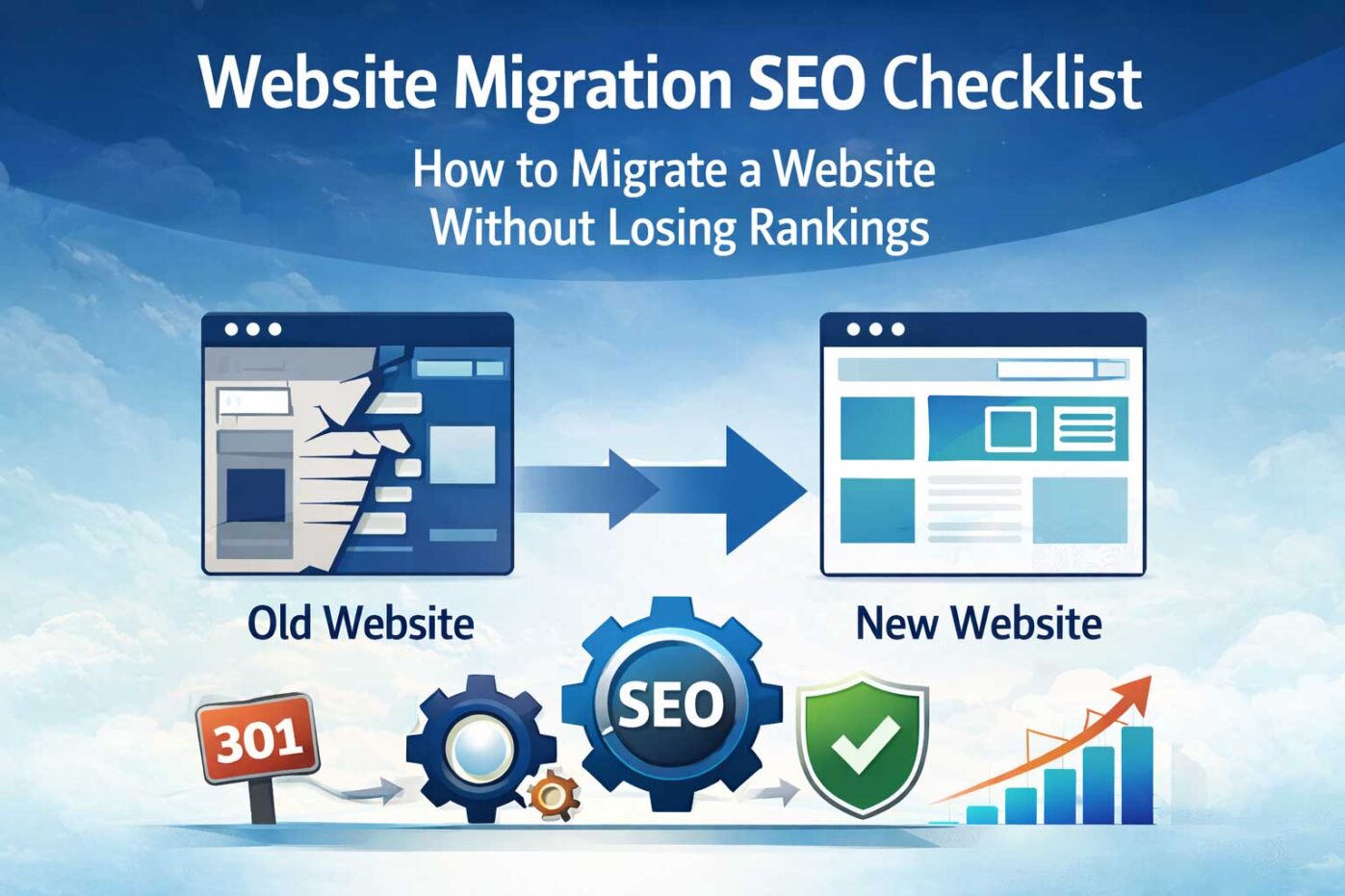
Website migration SEO checklist showing crawl URL mapping redirects launch and monitoring steps

1. Crawl Your Existing Website

Before launching a new website, crawl your existing site using tools like Screaming Frog or Sitebulb. Export all URLs so you know exactly which pages must be redirected.

2. Map Old URLs to New URLs

Create a spreadsheet mapping each old URL to its corresponding new page. This ensures users and search engines are properly redirected after launch.

3. Implement 301 Redirects

301 redirects permanently forward users and search engines from old pages to new ones. This step preserves the SEO authority your pages have built over time.

If you’re unfamiliar with redirects, read our guide on website migration without losing traffic.

4. Preserve Important SEO Elements

  • Page titles
  • Meta descriptions
  • Internal links
  • Header tags
  • Structured data

Maintaining these elements helps search engines understand that your new site represents the same content as the previous version.

5. Update XML Sitemaps

Generate a new XML sitemap and submit it to Google Search Console and Bing Webmaster Tools to help search engines discover and index your pages quickly.

6. Test Redirects Before Launch

Before launching, test redirects to ensure they point correctly and do not produce errors.

7. Monitor Search Console After Launch

After launching, monitor Google Search Console for crawl errors, indexing issues, and ranking fluctuations.

Common Website Migration Mistakes

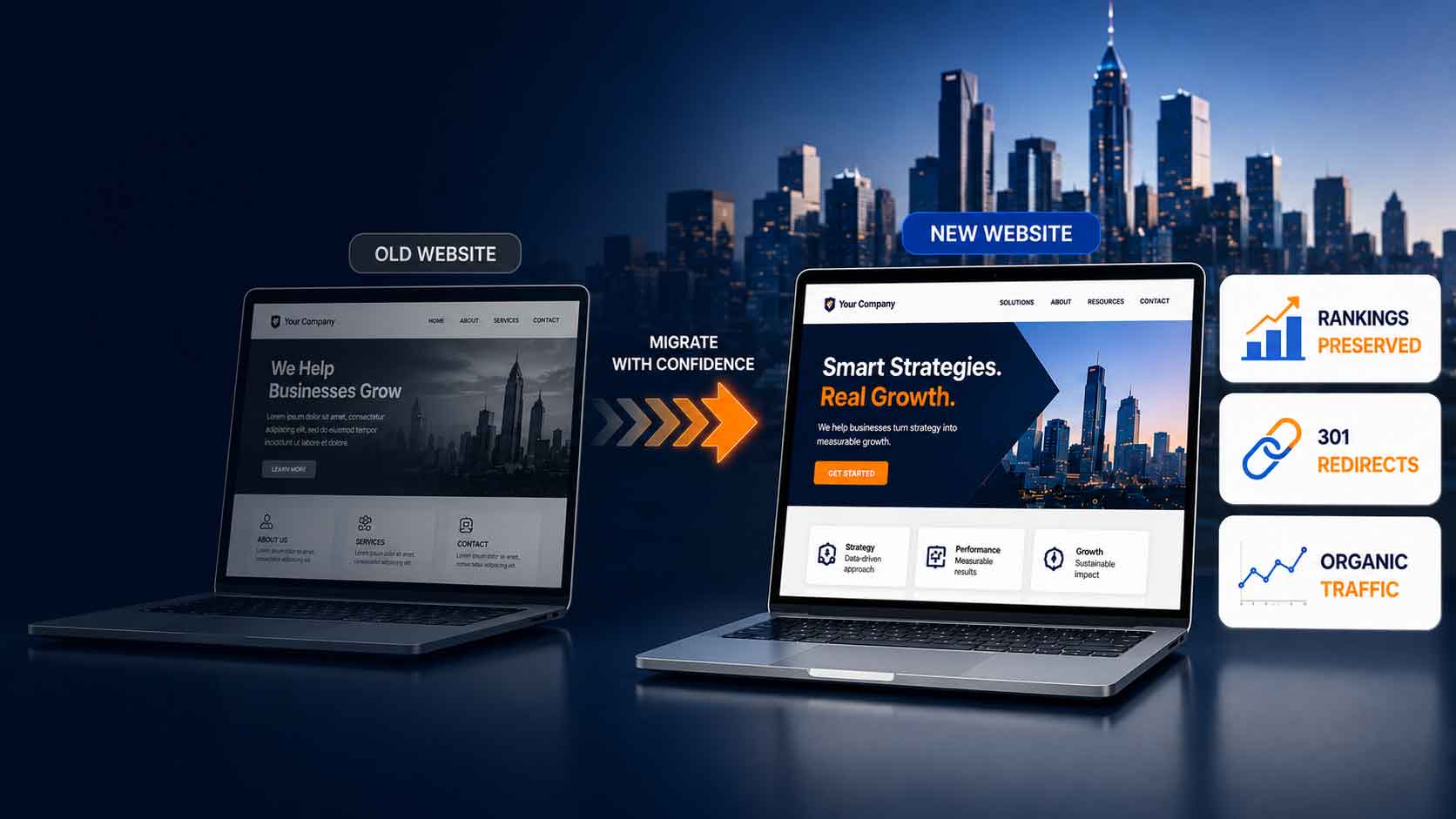
Common website migration mistakes including broken links lost rankings and crawl errors

  • Failing to implement proper 301 redirects
  • Launching without URL mapping
  • Changing URL structures unnecessarily
  • Forgetting updated sitemaps
  • Not monitoring search performance

Should Businesses Use SEO and PPC After a Website Launch?

Many businesses use paid advertising immediately after launch to maintain traffic while rankings stabilize. Understanding how paid and organic search work together helps businesses recover faster.

If you’re unfamiliar with how these channels work together, read our guide on PPC vs SEM and how they drive website traffic.

Website Migration FAQ

How long does SEO recovery take after a website migration?

SEO performance can fluctuate for several weeks after a migration. Most websites stabilize within 30–90 days if handled correctly.

Will I lose rankings after a website redesign?

Temporary ranking changes are common. Proper redirects, content preservation, and updated sitemaps reduce traffic loss.

Should I change URLs during a redesign?

Whenever possible, keep existing URLs. If changes are necessary, implement proper 301 redirects for every page.

What is included in a website migration checklist?

A migration checklist includes crawling URLs, mapping redirects, preserving SEO elements, updating sitemaps, testing redirects, and monitoring rankings after launch.

What is the biggest SEO risk during a website migration?

The biggest risk is failing to redirect old URLs correctly. Without proper redirects, search engines may treat new pages as different content and rankings can drop.

For a full walkthrough, see our guide on how to replace your existing website without losing traffic.

Need Help With a Website Migration?

Website migrations require careful planning to protect SEO rankings and organic traffic. If you’re planning a redesign or launch, Webociti can help ensure a smooth transition.

Contact us to learn more about our website design services and SEO migration strategies.

Quick Summary:

Replacing your website can improve design, speed, user experience, lead generation, and conversion — but only if the migration is handled correctly.

Without a proper website migration strategy, a redesign can cause lost SEO rankings, broken links, traffic drops, missing redirects, and lost leads.

Key steps include:

  • Mapping existing URLs before launching the new site
  • Implementing 301 redirects from old URLs to new pages
  • Preserving important page titles, meta descriptions, and structured data
  • Updating internal links and XML sitemaps
  • Testing forms, tracking, analytics, and conversion points before launch
  • Monitoring rankings, crawl errors, and traffic after migration

A properly planned website migration strategy helps preserve SEO rankings while improving site performance, user experience, and conversion.

Replacing an existing website is not just a design project. It is an SEO, traffic, and revenue protection project.

A new website can improve your brand, user experience, speed, lead generation, and conversion. But if the migration is handled poorly, your business can lose rankings, organic traffic, and qualified leads almost overnight.

A well-planned website migration strategy protects the search visibility your current site has already earned while giving your new website a stronger foundation for growth.

The key is to plan the migration before launch. That means mapping existing URLs, setting up 301 redirects, preserving important SEO elements, testing conversion tracking, and monitoring performance after the new site goes live.

Website migrations often affect search rankings, traffic, and lead generation. If you want to understand how paid and organic search work together, read our guide on
PPC vs SEM and how they affect website traffic.

Important: A website redesign should never be launched without an SEO migration plan. Even a better-looking site can lose traffic if redirects, page structure, metadata, internal links, and tracking are not handled correctly.


Case study: A major automotive upfitter went from thousands of monthly visits on their website to only two visits per month after launching a new website with another digital marketing firm. When they came to Webociti, we helped restore their SEO using the strategies outlined below. Unfortunately, the damage was already done and it took nearly 180 days for the company to regain its traffic levels.

SEO Website Migration Checklist

Before replacing your existing website, make sure these items are handled before launch:

  • Export and review all current website URLs
  • Map every important old URL to the correct new URL
  • Set up 301 redirects before launch
  • Preserve important page titles, meta descriptions, headings, and structured data
  • Review high-value content before removing or consolidating pages
  • Update internal links so they point to the correct new pages
  • Create and submit a new XML sitemap
  • Test forms, tracking, analytics, call tracking, and conversion points
  • Monitor Google Search Console after launch for crawl errors and indexing issues

For a more detailed launch process, use our
Website Migration SEO Checklist.

Website Migration Tips Before You Launch

A website redesign can look finished before it is actually ready to launch. The design may be approved, the copy may be proofed, and the SSL certificate may be in place, but the SEO details still need to be handled carefully.

These website migration tips will help protect existing rankings, reduce broken links, preserve organic traffic, and create a smoother experience for visitors and search engines.

Use a 301 Redirect Strategy

When you are creating a new website or redesigning an existing one, it is critical to keep the current site live until the new site has been fully tested and the redirect plan is ready.

A 301 redirect permanently forwards users and search engines from an old URL to a new URL. This helps preserve SEO value when page URLs change during a website migration.

For example, if an old service page is replaced by a new version, the old URL should redirect to the most relevant new page. That way, visitors do not land on a broken page, and search engines receive a clear signal that the content has moved.

A strong 301 redirect strategy protects important pages, reduces 404 errors, and helps maintain the traffic your site has earned over time.

Map Old URLs to the Correct New Pages

URL mapping is one of the most important steps in protecting your SEO during a website redesign.

Before launch, review your existing website using a tool like Screaming Frog SEO Spider, Google Search Console, Google Analytics, or another crawling tool. The goal is to identify every important page on your current website and map it to the correct page on the new site.

Pay special attention to pages that already rank, generate organic traffic, earn backlinks, support lead generation, or drive conversions. These pages should not disappear during the redesign.

If a page no longer exists on the new site, avoid redirecting everything to the homepage by default. Whenever possible, send the old URL to the most relevant new service page, category page, location page, blog post, or related resource.

A clean URL map gives users a better experience and gives search engines a clearer understanding of where your old content has moved.

Update Your Sitemaps Before and After Launch

Sitemaps help search engines understand your website structure and discover important pages more efficiently. During a website migration, both your internal navigation and XML sitemap should be reviewed carefully.

Your team should review two types of sitemaps:

  • HTML sitemap — helps visitors navigate your website and find important pages
  • XML sitemap — helps search engines crawl, understand, and index your pages

Before launch, make sure your new XML sitemap includes the correct live URLs and does not include outdated, redirected, duplicate, or test pages.

After launch, submit the updated XML sitemap through Google Search Console and Bing Webmaster Tools. This helps search engines discover the new site structure more quickly.

Google also provides a helpful overview of sitemaps in Search Console.

Plan the Website Launch and Transition

A website launch should be coordinated across marketing, sales, customer service, development, and leadership. Choose a launch window with lower traffic levels when possible so your team can monitor the transition and respond quickly if issues appear.

Once the new site goes live, review the full list of 301 redirects to make sure every important page is redirecting correctly. Start with your highest-traffic pages, top organic landing pages, key service pages, and pages with backlinks.

During the first few hours after launch, test important pages, forms, calls to action, tracking scripts, phone links, analytics, and conversion events. Over the following days and weeks, monitor Google Search Console for crawl errors, indexing issues, redirect problems, and pages that may require additional attention.

Get SEO Support Before Launch

Failing to follow proper migration procedures can damage your search rankings, reduce organic traffic, and disrupt lead generation. Without an experienced SEO strategist guiding the project, a website migration can create ranking drops that take months to recover.

Even with a well-managed migration, some temporary movement in rankings or traffic can happen after launch while search engines crawl, process, and evaluate the new site. The goal is to reduce risk, preserve as much SEO value as possible, and quickly identify issues before they become major traffic losses.

These are specialized marketing services that help ensure your new website launch strengthens your digital presence rather than harming it.

Common Website Migration Mistakes That Hurt SEO

Website migrations can significantly impact rankings, traffic, and lead generation if they are not handled properly. Even a better-looking website can create problems if SEO, redirects, tracking, and conversion paths are overlooked.

Some of the most common website migration mistakes include:

  • Failing to implement proper 301 redirects
  • Launching a new site without mapping old URLs
  • Changing site structure without redirect planning
  • Deleting useful pages that already rank, earn backlinks, or generate leads
  • Changing page titles, headings, or content without reviewing SEO impact
  • Forgetting to submit updated XML sitemaps
  • Not checking forms, tracking, analytics, phone links, and conversion points
  • Not monitoring Google Search Console after launch

Avoiding these mistakes helps ensure your new website maintains search visibility while benefiting from improved design, speed, user experience, and conversion performance.

A website migration can also affect more than rankings. If your website is a core part of your lead generation and sales process, lost traffic can quickly become lost pipeline. That is why a redesign should be planned as part of a larger revenue growth system, not treated as a standalone design project.

SEO Considerations When Replacing a Website

Replacing a website without a proper SEO migration plan can lead to significant traffic loss. Search engines rely on page URLs, redirects, internal links, page structure, sitemaps, and content signals to understand your website.

During a redesign, businesses should preserve important SEO elements wherever possible, including:

  • Page titles and meta descriptions
  • Heading structure
  • High-value content
  • Internal links
  • Image alt text
  • Schema markup and structured data
  • Canonical tags
  • Top-performing landing pages

Working with an experienced SEO agency helps ensure your new website launch improves your digital presence instead of damaging the rankings, traffic, and leads your current site has already earned.

Website Migration and Conversion Tracking

SEO is not the only thing that can break during a website migration. Forms, phone tracking, analytics, conversion pixels, CRM integrations, call-to-action buttons, and lead capture points should also be tested before and after launch.

A redesigned website may look better, but if lead forms stop working or conversion tracking disappears, your team can lose visibility into what is actually driving growth.

Before launch, confirm that key tracking and conversion systems are working properly, including:

  • Google Analytics
  • Google Search Console
  • Google Ads conversion tracking
  • Meta pixels or other advertising pixels
  • Call tracking
  • CRM forms and lead routing
  • Contact forms and quote request forms
  • Newsletter or lead magnet forms

This is especially important for companies that rely on organic search, paid media, or website leads as part of their growth system. A successful migration should protect both search visibility and the conversion paths that turn traffic into revenue.

Related Website Migration Resources

Planning a website redesign or migration requires more than a new design. These related guides can help you understand how SEO, paid search, website structure, and revenue systems work together to protect traffic and support growth.

Website Migration Frequently Asked Questions

Will I lose SEO if I replace my website?

You may lose rankings, traffic, and leads if the migration is not handled correctly. Implementing 301 redirects, mapping old URLs to new pages, preserving high-value content, and submitting updated sitemaps can help protect SEO performance.

What is a 301 redirect?

A 301 redirect permanently forwards visitors and search engines from an old page to a new page. This helps preserve SEO value when URLs change during a website redesign or migration.

How long does it take Google to reindex a new website?

Google can begin indexing a new site within a few days, but rankings often take several weeks to stabilize after a major website migration. Larger sites, major URL changes, or poorly handled redirects may take longer to recover.

Should I change URLs when launching a new website?

It is best to keep existing URLs whenever possible. If URLs must change, proper 301 redirects should be implemented so users do not land on broken pages and search engines can understand where the content moved.

What should I check after a website migration?

After launch, review Google Search Console for crawl errors, check that redirects are working, submit your new XML sitemap, test forms and tracking, monitor rankings, review organic traffic, and confirm that important conversion paths are still working.

Replacing Your Website? Protect Your SEO Before You Launch

A new website should strengthen your visibility, not erase the rankings and traffic you have already earned. If you are planning a redesign, Webociti can help you map your URLs, protect your SEO, improve your site structure, test conversion tracking, and launch with a smarter migration strategy.

Before launching a redesigned website, follow a complete website migration SEO checklist to help protect your rankings, traffic, and leads.

Not sure whether your redesign is ready for launch? Schedule a Revenue Strategy Call with Webociti to review your website migration plan before the switch is made.

The Top 7 Warning Signs Your Website Needs a Makeover

In the fast-paced world of digital marketing, your website serves as the storefront of your business. It’s often the first interaction potential customers have with your brand, and as we all know, first impressions matter. Just like physical stores need renovations to stay modern and appealing, websites also require updates to keep up with changing trends, user expectations, and business growth. A website that’s outdated, slow, or poorly designed can cost you in terms of both user engagement and conversions.

In this blog post, we’ll explore the top 7 warning signs that your website might need a makeover and how a fresh design can significantly impact your user experience and bottom line.

1. Your Website Isn’t Mobile-Friendly

More than half of all web traffic now comes from mobile devices. If your website isn’t mobile-friendly, you’re likely losing a significant portion of potential customers. A website that doesn’t scale properly on mobile screens can frustrate users, leading to higher bounce rates and lower conversions.
SEO

Signs your website isn’t mobile-friendly:

  • Visitors have to pinch or zoom to view content.
  • Buttons or links are hard to click because they are too small.
  • The layout looks skewed or off-balance on mobile devices.
  • Page load times are significantly longer on mobile.

Having a responsive, mobile-optimized website is no longer optional; it’s a necessity. Not only does it improve the user experience, but Google also prioritizes mobile-friendly sites in its search rankings.

If your website isn’t mobile-friendly, you could be missing out on valuable leads. Contact us today to explore how Webociti can help redesign your site for the modern mobile experience and drive more conversions.

2. Your Website Is Slow to Load

Did you know that 40% of visitors will abandon a website if it takes more than 3 seconds to load? In the age of instant gratification, users expect websites to load almost instantaneously. If your website is slow, it’s a sure sign you need a makeover.

Signs your website is too slow:

  • High bounce rates (users leaving your site after visiting only one page).
  • Poor performance scores on website speed tests like Google PageSpeed Insights or GTmetrix.
  • Complaints from users about slow page load times.
  • Noticeable delays in loading images, videos, or interactive elements.

A website that loads quickly improves user experience, boosts engagement, and has a positive impact on your SEO ranking. During a website makeover, optimizing images, compressing files, and updating outdated code can significantly improve load times.

3. Your Website Looks Outdated

Design trends in web development evolve rapidly, and what looked modern five years ago may now appear outdated. An old, cluttered design can make your business look unprofessional and out of touch. A dated website can hurt your brand image and decrease your credibility with visitors.

Signs your website design is outdated:

  • Your site uses outdated design elements like skeuomorphism, Flash animations, or old fonts.
  • It lacks modern web features like parallax scrolling, minimalist design, or clean, intuitive navigation.
  • Your website hasn’t been updated in the last 3-5 years.
  • The design looks cluttered, making it difficult for visitors to navigate.

A website makeover will give your business a fresh, modern look that aligns with current design trends and meets user expectations. Incorporating features like sleek typography, bold visuals, and intuitive navigation can dramatically improve your site’s overall appeal.

4. Your Website Isn’t Generating Leads or Conversions

Your website is a powerful tool for lead generation and sales, but if it’s not delivering, something may be off with the design or user flow. Visitors might find it difficult to navigate, locate the right information, or take action, such as filling out a form or making a purchase.

Signs your website isn’t optimized for conversions:

  • Visitors leave your site without taking any action.
  • Your call-to-action (CTA) buttons are hard to find, unclear, or ineffective.
  • Forms are too complicated or lengthy, leading to high abandonment rates.
  • Analytics show low conversion rates despite high traffic.

A website makeover can focus on streamlining the user journey and optimizing the layout for conversions. Simple adjustments like improving CTAs, shortening forms, and using persuasive design elements can make a significant difference in lead generation and sales.

5. Your Website Is Difficult to Update

In today’s digital landscape, you need to be able to update your website regularly—whether it’s adding new content, updating services, or making design tweaks. If your website relies on outdated technology or content management systems (CMS), making these changes can be a cumbersome and time-consuming process.

Signs your website is difficult to update:

  • You need a developer to make even small changes.
  • Your CMS is outdated and lacks modern features.
  • It takes too long to upload new content, images, or updates.
  • Your team finds it challenging to keep the site current with new information.

A website makeover can include migrating to a modern CMS like WordPress, which makes it easier for you to update content and manage your site without the need for technical expertise. This ensures your site stays relevant and up-to-date.

6. Your SEO Performance Has Plateaued

Search Engine Optimization (SEO) is crucial for driving organic traffic to your site, but if your website isn’t performing well in search results, it might be time for a refresh. Google’s algorithms are continually evolving, and an outdated website can negatively impact your rankings.

Signs your website is underperforming in SEO:

  • Your website’s search rankings have stagnated or dropped.
  • Pages are missing essential SEO elements like meta tags, alt text, or proper headings.
  • You’re not generating organic traffic despite optimizing content.
  • Broken links, outdated URLs, or old content remain on your site.

A website makeover can include updating your on-page SEO, improving your website’s structure, and fixing any technical SEO issues. These updates will help you regain visibility in search engines and drive more organic traffic to your site.

7. Your Website Doesn’t Reflect Your Current Brand or Business Offerings

As your business evolves, so should your website. If you’ve recently rebranded, introduced new services, or shifted your business model, your website must reflect those changes. A mismatch between your current brand and your website can confuse visitors and weaken your brand’s identity.
Mobile

Signs your website no longer aligns with your brand:

  • Your site’s color scheme, messaging, or imagery is inconsistent with your current branding.
  • Your products or services have changed, but your site still reflects old offerings.
  • You’ve rebranded or changed your logo, but your site still uses the old one.
  • Your business has expanded to new markets, but your site doesn’t showcase this growth.

A website makeover allows you to align your online presence with your current business and branding. This ensures that visitors get a cohesive brand experience, which helps build trust and encourages engagement.

8. Your Competitors’ Websites Are Better

Take a moment to check out your competitors’ websites. If they’re sleeker, faster, and more modern than yours, it’s time to take action. A website that doesn’t measure up to industry standards can leave you trailing behind in the digital race.

Signs your competitors’ websites are outperforming yours:

  • They have better SEO rankings.
  • Their sites are more visually appealing and easier to navigate.
  • Their mobile experience is superior.
  • They offer a more seamless user journey, leading to higher conversions.

A website makeover will allow you to stay competitive and meet or exceed industry standards, ensuring that you capture and retain more customers.

Conclusion

Your website is more than just a digital brochure—it’s the cornerstone of your online presence and often the first interaction a potential customer has with your brand. If any of the signs mentioned above resonate with you, it’s time to consider a website makeover.

Investing in a modern, functional, and mobile-friendly website will improve user experience, increase conversions, and ensure your business remains competitive in the digital marketplace.

At Webociti, we specialize in designing websites that not only look great but also deliver measurable results. Contact us today for a consultation, and let us help you transform your website into a powerful tool for business growth.